

Choosing the right CRM software can make all the difference in how your business manages customer relationships, streamlines sales, and drives growth. With so many options in the market, it’s important to pick a solution that fits your goals, budget, and team needs. Tools like Sendgun CRM offer an all-in-one platform designed to simplify customer communication and sales automation. In this guide, we’ll explore the key factors to help you find the perfect CRM for your business.
What is CRM Software?
Customer Relationship Management is a tool that helps businesses manage interactions with current and potential customers. It centralizes customer data, tracks communications, automates tasks, and provides insights to improve relationships and increase sales. Whether it’s a small business or a large enterprise, CRM can help enhance the customer experience and streamline operations.
Key Features & Benefits of CRM Software
- Centralized Customer Data:
All customer information is stored in one place, making it easy for teams to access and manage. - Sales & Lead Tracking:
CRM helps track leads, sales opportunities, and monitor the progress of deals. - Customer Communication Management:
Track conversations across emails, calls, messages, and social media — all in one system. - Reports & Analytics:
Get insights on customer behavior, sales performance, and marketing efforts with built-in reports. - Automation:
Automate routine tasks like follow-up emails, lead nurturing, and reminders to save time. - Integrations:
CRM tools often connect with other platforms like email marketing tools, accounting software, and e-commerce sites. - Improved Customer Relationships:
With better data and tracking, businesses can offer personalized services and build stronger customer connections.
Best CRM Software Examples
1. Zoho CRM
Zoho CRM is well-known for its AI-powered features and a full suite of sales and marketing tools. It helps businesses manage leads, automate workflows, and gain insights through analytics. It’s ideal for small to medium-sized businesses looking for an affordable yet comprehensive CRM solution.
2. Freshworks CRM
Freshworks CRM, formerly Freshsales, is designed to unify sales and customer support in one platform. It offers lead management, email tracking, built-in calling, and AI-driven insights to help sales teams close deals faster. It’s user-friendly and integrates easily with other business tools.
3. CleverTap
CleverTap is great for businesses that focus on customer engagement and retention, especially in the mobile app space. It enables real-time analytics and personalized messaging across channels like push notifications, emails, and SMS, helping brands boost user engagement.
4. FreshBooks
While primarily accounting software, FreshBooks includes basic client management features useful for small businesses and freelancers. It allows easy tracking of invoices, payments, and customer details, but lacks advanced CRM functionalities.
5. Google Sheets
Though not a CRM, Google Sheets is often used by small businesses to manage customer data in a simple, organized manner. It’s useful for basic tracking but doesn’t offer automation or advanced analytics like dedicated Customer Relationship Management.
How to Choose the Right CRM Software
- Know Your Business Needs:
List the features you really need — like sales tracking, automation, or customer support. - Compare Options:
Look at different CRM platforms, compare features, prices, and user feedback. - Set a Budget:
CRM solutions come in various price ranges — pick one that fits your budget without compromising essential features. - Easy to Use:
Choose a CRM that your team can easily understand and use without much training. - Check Customer Reviews:
Read reviews and testimonials to know the real experiences of other businesses.
Why Your Business Needs CRM Software

Every business, regardless of size, can benefit from Customer Relationship Management. Here’s why:
- Improved Customer Relationships: Personalize communication and track customer preferences.
- Centralized Data: Store all customer interactions in one place accessible to your entire team.
- Better Sales & Marketing Alignment: Coordinate campaigns and track leads effectively.
- Enhanced Customer Retention: Follow up with customers systematically to increase loyalty.
- Increased Productivity: Automate repetitive tasks and focus on strategic initiatives.
Types of CRM Software
Choosing the right type of CRM is essential based on your business goals:
- Operational CRM: Automates sales, marketing, and service tasks to streamline workflows.
- Analytical CRM: Focuses on data analysis to improve decision-making and customer insights.
- Collaborative CRM: Enhances communication between different departments to provide a unified customer experience.
Additionally, businesses can choose between Cloud-Based CRM (accessible online) and On-Premise CRM (installed on company servers) depending on their data security needs and budget.
Key Features to Look for in CRM Software
When evaluating CRM options, look for these essential features:
- Contact & Lead Management
- Sales Automation
- Marketing Automation
- Customer Support Integration
- Reporting & Analytics
- Mobile Accessibility
- Customization Capabilities
- Third-Party Integrations
- Scalability for Business Growth
These features ensure the CRM will adapt to your business as it evolves.
Factors to Consider When Choosing CRM Software
Selecting the right CRM goes beyond features. Here are crucial factors to keep in mind:
Business Goals and Needs :- Identify your primary objectives. Are you focusing on sales growth, marketing efficiency, or customer support?
Budget Constraints :- Consider initial costs, subscription fees, customization expenses, and long-term value.
User Experience :- Ensure the software is user-friendly, with an intuitive interface to encourage team adoption.
Integration Requirements :- Check if the CRM can integrate with your existing tools like ERP, email marketing platforms, and accounting software.
Customization and Scalability :- Your CRM should be customizable to your workflows and scalable as your business expands.
Security & Compliance :- Ensure the CRM complies with data protection regulations such as GDPR and offers robust security features.Vendor Support & Reliability :- Select a provider known for excellent customer support, regular updates, and system reliability.
Steps to Successfully Implement CRM
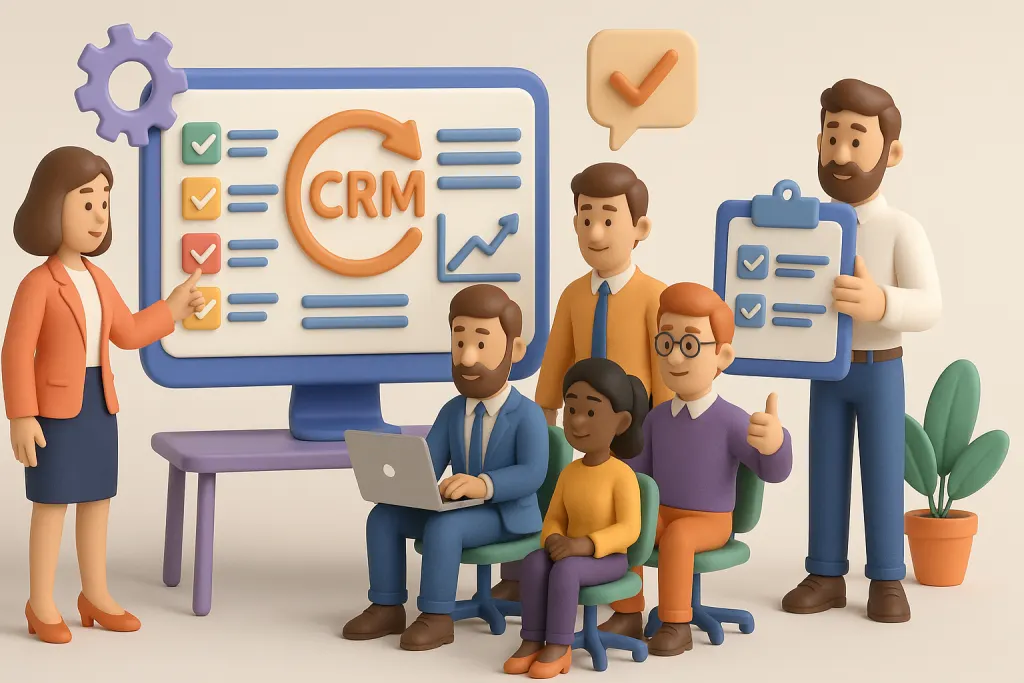
- Define Clear Goals: Know what you want to achieve with CRM.
- Involve Stakeholders: Include team leaders from sales, marketing, and support.
- Provide Training: Equip your team with the necessary skills.
- Customize the CRM: Tailor it to your business processes.
- Monitor Progress: Regularly track CRM usage and performance.
Common Mistakes to Avoid While Selecting CRM
- Choosing a CRM based solely on price.
- Ignoring scalability for future growth.
- Not involving end-users in the selection process.
- Underestimating the time and resources required for implementation.
- Overlooking data security and compliance requirements.
Conclusion
Selecting the right Customer Relationship Management is a strategic decision that can profoundly impact your business’s growth and customer satisfaction. By carefully evaluating your needs, budget, and operational requirements, you can find a CRM solution that not only meets your current demands but also supports your future ambitions.
Start your journey today by identifying your business priorities and exploring CRM solutions that align with your goals.
Faq’s
What is CRM software?
Customer Relationship Management helps businesses manage customer interactions, track sales, and improve relationships.
What is CRM used for?
CRM is used to organize customer information, automate sales and marketing tasks, improve customer support, build stronger relationships, and ultimately boost sales and business growth.
Which software is used for CRM?
Businesses use CRM tools like Zoho CRM, Salesforce, HubSpot, and Freshworks to manage customers and sales.
Why is CRM used for?
CRM is used to organize customer data, automate sales and marketing, improve customer service, and boost business growth.
What is a CRM tool?
A CRM tool is software that helps businesses manage and improve interactions with customers and potential clients. It centralizes customer data, tracks communication, and supports sales, marketing, and customer service activities.